Sending Feedback
Share bug reports, feature requests, questions, or general feedback with The Club Schedule team.
Before You Begin
- You must be logged in to The Club Schedule.
- No special role or permissions are required -- any member can submit feedback.
Submitting Feedback
- Log in to The Club Schedule.
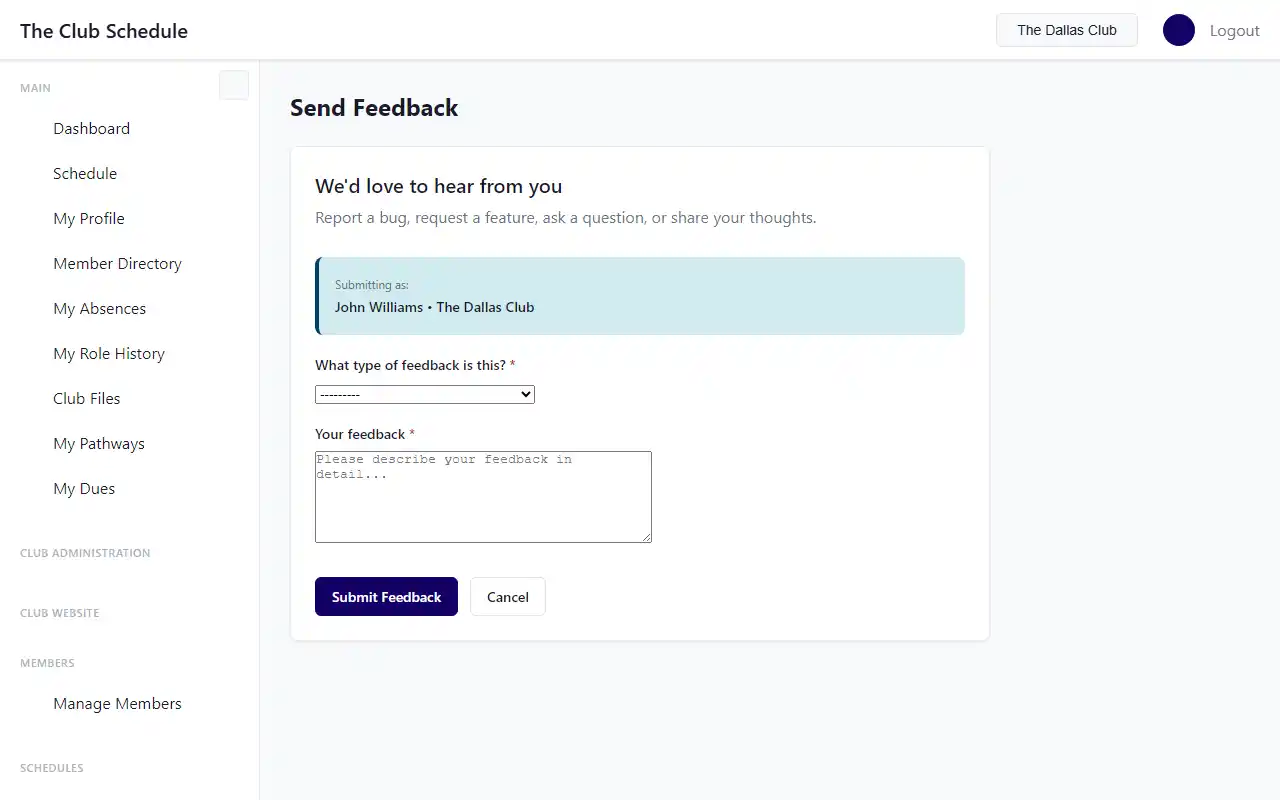
- Navigate to the Feedback page from the sidebar.
- Select a category for your feedback:
- Bug Report / Something's Broken -- Something is not working as expected.
- Feature Request -- You have an idea for a new feature or improvement.
- General Feedback -- Comments, compliments, or other thoughts about the platform.
- Question / Need Help -- You need assistance with something.
- Type your message in the text area. Be as specific as possible, especially for bug reports.
- Click Submit.
What Happens After You Submit
- You will see a "Thank you!" confirmation message and be redirected to your dashboard.
- Your feedback is recorded with your name, email, and club information (if you have a club selected).
- An email notification is sent to the support team with your feedback details.
- The support team reviews all submissions and may follow up with you via email.
Tips
- For bug reports, include as much detail as possible: what you were trying to do, what happened instead, and any error messages you saw. The more context you provide, the faster the team can investigate.
- For feature requests, describe the problem you are trying to solve, not just the solution you have in mind. This helps the team understand the need and find the best approach.
- Your club is automatically associated with the feedback if you have one selected. This helps the support team understand the context of your report.
Troubleshooting
| Problem | Solution |
|---|---|
| The form does not submit | Make sure you have selected a category and typed a message. Both fields are required. |
| I did not receive a response | The support team reviews feedback as time allows. If your issue is urgent, try reaching out to support@theclubschedule.com directly. |
| I want to follow up on my feedback | Send an email to support@theclubschedule.com referencing what you submitted. |