Exporting Your Data
Download a complete copy of all your personal data from The Club Schedule in a single JSON file.
Before You Begin
- You must be logged in to your account.
- This feature is available to all members, regardless of officer status or subscription status.
How to Export Your Data
- Log in to The Club Schedule.
- Go to Profile > Privacy & Data.
- Click Download My Data (JSON).
- Your browser will immediately download a JSON file named
my_data_[username]_[date].json.
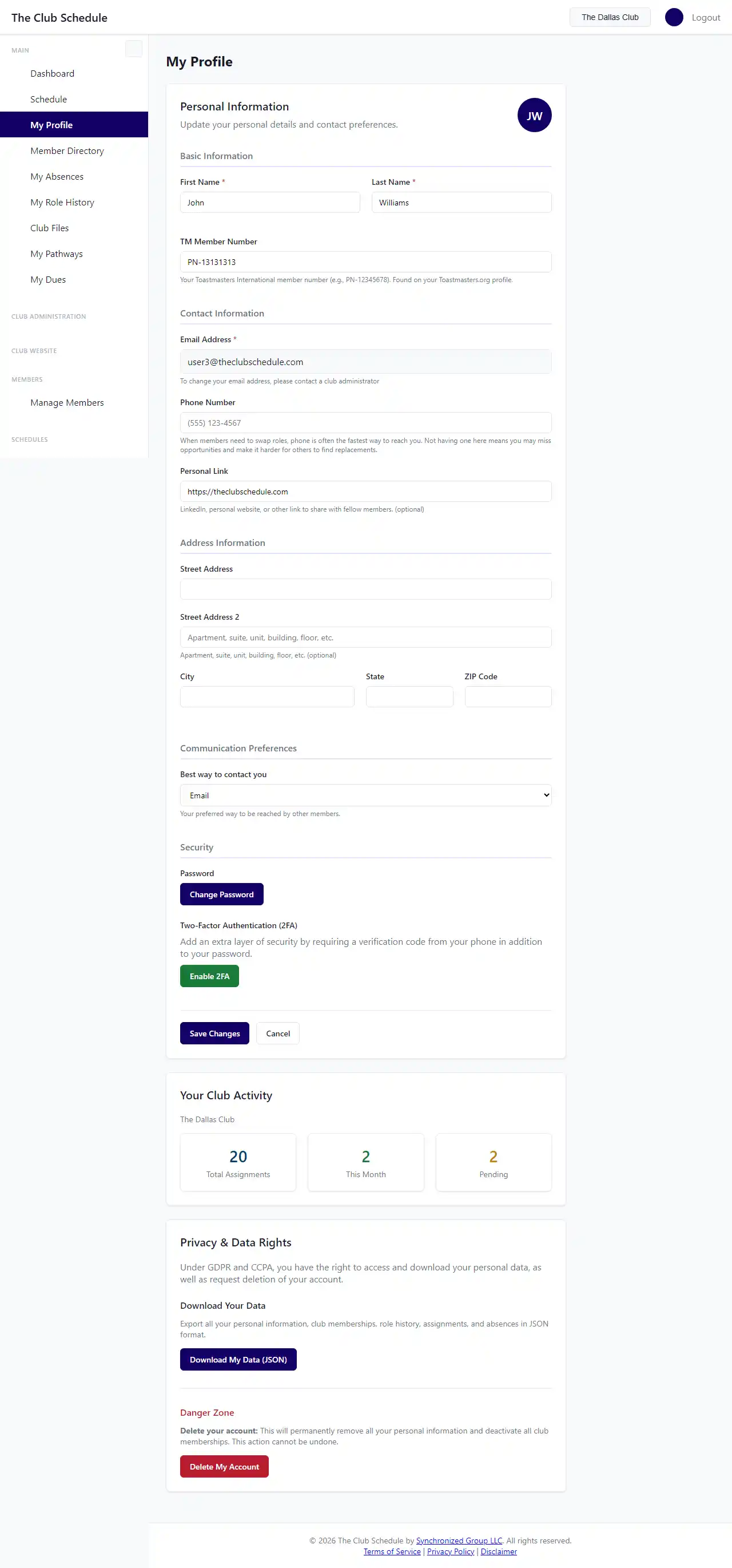
There is no waiting period -- the file downloads instantly.
What's Included in the Export
Your data export contains everything The Club Schedule stores about you:
Account Information
- Username, email, first name, last name
- Phone number
- Toastmasters member number
- Personal URL
- Mailing address (street, city, state, ZIP)
- Preferred contact method
- Date joined and last login
Club Memberships
For each club you belong to:
- Club name and club number
- Your join date
- Your officer roles (President, VP Education, Secretary, Admin)
Role History
Every meeting role you have completed:
- Club name
- Role name (e.g., Evaluator, Timer, Toastmaster)
- Meeting date
- Completion status
Assignments
All role assignments (past and present):
- Club name
- Role name
- Meeting date
- Assignment status (pending, accepted, rejected, not applicable)
Absences
Absence records you have submitted:
- Club name
- Start and end dates
- Notes
Pathways Enrollments
If you are enrolled in any Pathways paths:
- Path name and current level
- Enrollment and completion dates
- Role completions (role name, club, date, source)
- Presentation completions (title, club, date, source)
- Speech projects (level, project name, speech title, requested time, delivery date)
Understanding the File Format
The export is a JSON file, a standard data format that can be:
- Opened in any text editor to read your data
- Imported into spreadsheet applications (some may require a JSON-to-CSV converter)
- Used to transfer your information to another platform
- Archived for your personal records
Tips
- Export before deleting your account. If you are considering deleting your account, download your data first. Once your account is deleted, your data is anonymized and cannot be recovered.
- Keep exports secure. The file contains your personal information including email, phone number, and address. Store it in a safe location.
- Export regularly. If you want to maintain personal records of your Toastmasters progress, consider exporting periodically.
- Multi-club members. If you belong to multiple clubs, one export contains data from all your club memberships.
Troubleshooting
The download didn't start
- Check your browser's download settings. Some browsers block automatic downloads.
- Try a different browser if the issue persists.
- Make sure you are logged in -- the download link requires authentication.
I can't open the file
- JSON files can be opened with any text editor (Notepad, TextEdit, VS Code).
- For a more readable view, paste the contents into a JSON viewer like jsonviewer.stack.hu.
Some data seems missing
- The export only includes data from clubs where you are an active member. If you were deactivated from a club, that club's data may not appear.
- Pathways data appears only if you have active or historical enrollments.
I want my data in a different format
- The JSON format is the only export format available. You can use free online tools to convert JSON to CSV or Excel if needed.