Get Started with Dues Tracking
Learn how to set up dues tracking for your club so you can create invoices, record payments, and keep your members' payment status up to date.
Before You Begin
- You must be a club officer (President, VP Education, Secretary, or Admin).
- Your club must have an active subscription to The Club Schedule.
- Dues tracking is currently in beta. You may see a beta notice banner on all dues-related pages.
Overview
The Dues & Invoices feature lets you:
- Create dues periods that represent billing cycles (e.g., "Jan-Jun 2026 Dues").
- Build invoice templates with standard line items so you do not have to re-enter amounts every time.
- Generate invoices for individual members or all members at once.
- Send invoices by email directly from the platform.
- Record payments made by cash, check, Zelle, Venmo, or other methods.
- Track who has paid with a visual member payment grid.
- Confirm TI dues for members who pay Toastmasters International directly.
If your club also connects a Stripe account (Phase 2), members can pay online using a secure payment link included in the invoice email.
How to Access Dues & Invoices
- Log in and select your club.
- In the left sidebar under "Club Administration," click Dues & Invoices.
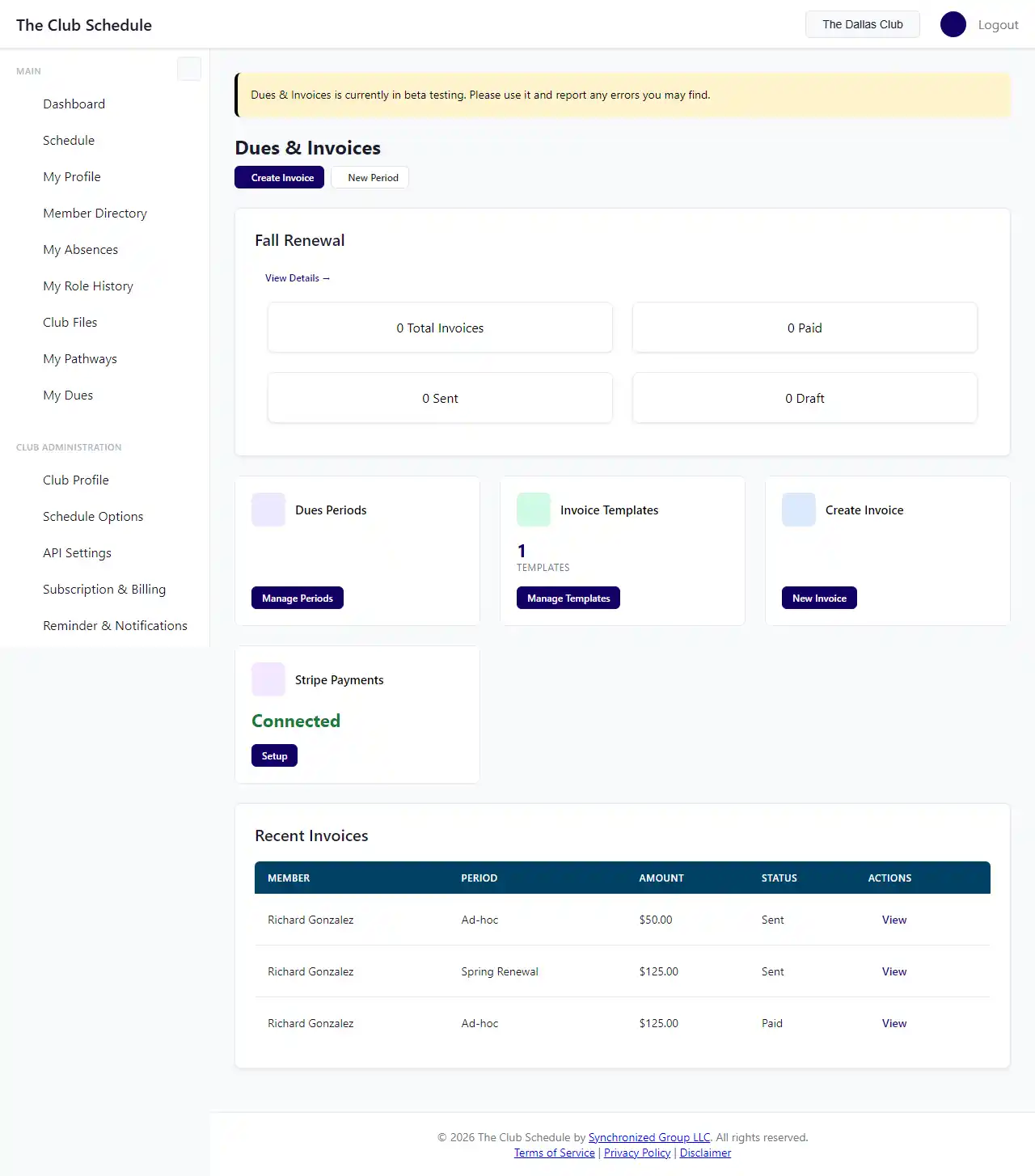
- You will see the Dues Dashboard with quick links to periods, templates, and invoice creation.
Recommended Setup Order
For the best experience, set things up in this order:
- Create an invoice template with your standard dues line items (e.g., TI Dues, Club Dues). See Set Up Invoice Templates.
- Create a dues period for your current billing cycle. See Create and Manage Dues Periods.
- Bulk-create invoices for all members using your template. See Create and Send Invoices.
- Review and send the invoices. Members will receive an email with their invoice details.
- Record payments as they come in. See Record Payments and Track Balances.
Tips
- The Dues Dashboard shows stats for your most recent active period, including how many invoices are paid, sent, in draft, and overdue.
- You can create invoices without a dues period for ad-hoc charges (e.g., special event fees).
- The "Paid Through" date on an invoice automatically updates the member's membership status when the invoice is fully paid.